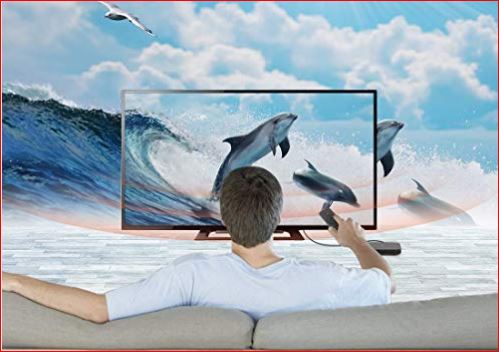
An Android TV isn’t a television. It’s a small box, stick, or dongle that plugs into any HDMI port and turns whatever screen you already own into a full smart device. That’s the whole pitch. It runs a version of Android built specifically for big screens, and it gives you access to the Google Play Store, streaming apps, games, and even browsers. If you’ve ever wondered what an Android TV is and what it’s actually used for, the short answer is: it’s a cheap way to make any dumb TV smart without buying a new panel.
I’ve tested a few of these devices over the years. Some are brilliant. Some are garbage. The difference usually comes down to how much RAM they have and how old the Android version is. So let’s break it down without the marketing fluff.
What exactly is an Android TV and what is its use?
An Android TV is a standalone multimedia device that connects to your television via HDMI. Inside, it has its own processor, RAM, storage, Wi-Fi, and Bluetooth. It doesn’t depend on your TV’s internal hardware at all. You plug it in, connect it to the internet, sign in with your Google account, and you’re done.
The main use of an Android TV is to stream content. Netflix, Disney+, YouTube, Prime Video, HBO Max, Twitch, you name it. But it also does much more: you can browse the web with Chrome or Firefox, play Android games with a Bluetooth controller, video call with Google Meet (if you have a webcam), and even use it as a media server client with apps like Kodi or Plex.
Another underrated use: live TV streaming. Many Android TV devices support IPTV apps, so if you have a subscription to a legal IPTV service, you can watch live channels without a cable box. That alone makes it worth the price for a lot of people.
Smart TV vs standalone Android TV: which one should you buy in 2026?
Here’s my honest take: if you already own a decent TV with a good panel (4K, HDR, at least 60Hz), buying a standalone Android TV box or stick is almost always the smarter move. You save hundreds of euros, and when the hardware gets outdated in three or four years, you just swap the box for a new one. With a smart TV, you’re stuck with the same slow processor until you replace the entire television.
But if you’re buying a new TV anyway, a smart TV with Android TV or Google TV built in is convenient. Fewer cables, one remote, cleaner setup. The catch is that built-in smart systems tend to age badly. After a couple of years, apps start lagging, updates stop coming, and you end up plugging in an external device anyway. So the «savings» are often an illusion.
My rule: buy the best panel you can afford, and treat the smart part as disposable. That’s how you get the most value out of an Android TV setup.
What is the latest version of Android TV in 2026?
Android TV as a platform has been largely replaced by Google TV, which is essentially the same operating system with a different launcher and more aggressive content recommendations. The latest versions of Google TV are built on Android 14 and Android 15, and Google has been pushing updates more consistently than in the past.
That said, many cheap Android TV boxes still ship with Android 11, 12, or 13. Some even come with Android 9, which is ancient and a security risk. If you’re buying a device in 2026, don’t settle for anything below Android 12. Ideally, look for Android 13 or 14. Otherwise, you’ll run into apps that refuse to install or update.
Why the Android version matters more than the brand
A lot of people obsess over brands like Xiaomi, Nvidia, or Amazon. But the real bottleneck is the Android version and the amount of RAM. A device with 2GB of RAM and Android 14 will outperform a device with 4GB of RAM and Android 9 in most real-world scenarios, because app compatibility and security patches depend on the OS version, not the specs sheet.
Also, Google Play Services certification matters. Some ultra-cheap boxes aren’t certified, which means no Netflix in HD, no Disney+, and no official YouTube app. Always check for the «Google certified» label before buying.
What’s the difference between a smart TV and an Android TV?
A smart TV is a television with its own built-in operating system, which could be Android TV, Google TV, Tizen (Samsung), webOS (LG), or something proprietary. An Android TV, strictly speaking, is a separate device that connects to any TV and runs Android.
The confusion comes from marketing. Manufacturers slap «Android TV» on smart TVs too, because they use that operating system inside. So when someone says «Android TV,» they could mean either the built-in system or the external box. Context usually makes it clear, but it’s worth knowing the difference.
Functionally, both give you access to the same apps. The difference is upgradeability. An external Android TV box can be replaced for €40-€80. A smart TV with a slow processor is stuck that way until you buy a new TV.
How do I install Google Chrome on Android TV?
You can’t always install Chrome directly from the Play Store on Android TV, because Google doesn’t officially list it for all devices. The workaround is simple: open the Google Play Store on your Android TV, search for «Google Chrome,» and if it appears, install it. If it doesn’t appear, you’ll need to sideload the APK from a trusted source like APKMirror.
Once installed, Chrome works surprisingly well with a remote, though a wireless mouse or air mouse makes it much easier. You can also use voice search to type URLs.
Beyond Chrome, you can install hundreds of apps: Kodi, VLC, Plex, Steam Link, GeForce Now, and thousands of games. The Play Store on Android TV has a curated selection, but sideloading opens up the full Android ecosystem.
Gaming on Android TV: worth it or not?
Casual games? Absolutely. Platformers, racing games, puzzle games, and kids’ games run fine on most Android TV devices. You can pair a Bluetooth controller (Xbox, PlayStation, or generic) and play for hours.
But don’t expect console-level performance. Even the Nvidia Shield, which is the most powerful Android TV box ever made, struggles with demanding 3D titles. For serious gaming, you’re better off with a console or a PC. Android TV is for casual fun, not for replacing a PlayStation.
Final thoughts without the fluff
An Android TV is one of the best value-for-money gadgets you can buy in 2026. It extends the life of any TV, gives you access to thousands of apps, and costs less than a single video game. Just avoid the no-name boxes with old Android versions and no Google certification.
If you want a recommendation: go for a device with at least Android 12, 2GB of RAM, and Google certification. That’s the sweet spot. Everything else is either overpriced or underpowered.