Hotlinking 2026: Cómo Evitar Que Roben Tu Ancho de Banda

Si notas que tu servidor va como un tiro pero tus webs WordPress cargan como si tuvieran ladrillos en los bolsillos, tienes un problema de hotlinking. Y no, no es una moda pasajera: es alguien que está usando tus imágenes desde su web, pero chupando de tu ancho de banda. Un robo silencioso que te […]

Read More

CSS Background Image: Add Images Like a Pro in 2026

So you want to slap an image behind your content using CSS. Fair enough. The CSS background image property is still one of the most used tricks in front-end work, and in 2026 it hasn’t lost any steam. But most tutorials give you the bare command and leave you hanging when the image doesn’t show […]

Read More

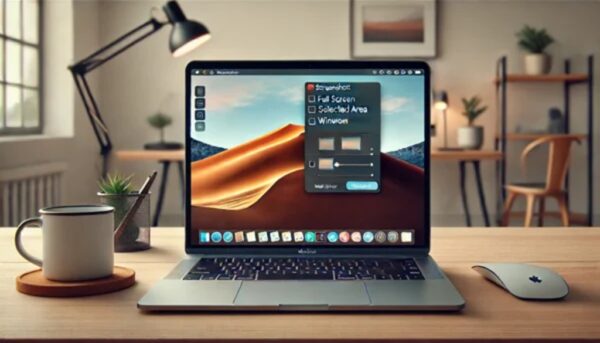
How to Take a Screenshot on Mac in 2026: Shortcuts That Actually Work

Taking a screenshot on a Mac is one of those things that looks obvious until you actually need to do it and realize you have no idea which keys to press. I’ve been there. The good news is that macOS has built-in shortcuts that are faster than any third-party app, and once you learn them […]

Read More
Cómo buscar por imágenes en Google como un profesional

How to Search by Image on Google in 2026 (Without Screwing It Up)

You see a photo on Instagram, a WhatsApp group, or some random forum and you’re dying to know where it actually came from. Reverse image search is the tool you want, but most people use it wrong and end up with garbage results. Here’s how to search by image on Google like someone who actually […]

Read More
Dónde se guardan las imágenes cuando capturas la pantalla en tu ordenador

Where Are Screenshots Saved? Windows & Mac Locations (2026)

You hit Print Screen, you hear the little click, and then… nothing. No file, no pop-up, no clue. If you’ve ever asked yourself where are screenshots saved on your computer, you’re not alone. The truth is that both Windows and macOS hide them in places that aren’t exactly obvious, and the shortcut you use changes […]

Read More
How to Screenshot on PC in Seconds: Windows & Mac Guide 2026

How to Screenshot on PC in Seconds: Windows & Mac Guide 2026

Grabbing a screenshot on your PC should take less than two seconds. If you’re still fumbling through menus or downloading sketchy apps, you’re doing it wrong. Both Windows and macOS ship with tools that are faster than anything third-party, and once you know the shortcuts, you’ll never go back. I’ve tested every method here on […]

Read More
Cómo Hacer Captura de Pantalla en tu Ordenador Windows

How to Take Screenshots on Windows 10 & 11 in 2026: Snipping Tool Guide

Let’s cut the crap: taking a screenshot on Windows should be a one-second thing, yet half the people I know still fumble with their keyboard like it’s their first day on a PC. I’ve been watching forum threads, testing every shortcut myself, and honestly, most guides out there are either outdated or just plain lazy. […]

Read More
activar capturar pantalla windows 10

How to Take Screenshots on Windows 10 & 11 in 2026: Snipping Tool Guide

Taking a screenshot on Windows 10 or Windows 11 sounds like a no-brainer, but I keep seeing people on Reddit and tech forums asking why their Print Screen key does nothing. The answer is dumb but real: Microsoft buried a switch that disables the whole thing by default on many setups. Once you flip it, […]

Read More