

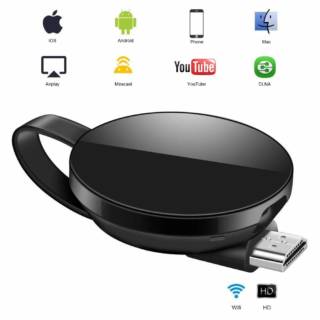
Yes, just as you read it. You no longer need to be watching movies, series, photos or TikToks on a tiny screen 😩. Connecting your phone to the TV and mirroring the screen is super easy, and once you try it… there’s no going back 😎🔥 .
I recommend you check out this article, which is interesting: <a href="https://www.empresadeserviciosweb.com/que-son-las-bread–crumbs–breadcrumbs-y-como-they improve–web-navigation/” title=”¿Qué son las migas de pan (breadcrumbs) y cómo mejoran la navigation web?” class=”internal-recommendation” target=”_self” rel=”noopener”>What are breadcrumbs and how do they improve web navigation?.
Imagine this:
- Watching Netflix or YouTube on a giant screen 🍿🎬
- Showing the weekend photos to the whole family without everyone crowding around the phone 🤳👨👩👧👦
- Playing from your phone but on a cinema screen 🎮📺
- Even making video calls with your loved ones and seeing their faces nice and big! 🧓👵❤️
How do you do it? There are several ways:
🔹 With an HDMI cable + adapter (direct and hassle-free)
🔹 Over WiFi, using Miracast, <a href="https://www.empresadeserviciosweb.com/post/como-solucionar-problemas-de-autenticacion-y-firmware-con-chromecast/” title=”Caída de Chromecast: Google Confirma la Gran Avería”>Chromecast, Smart View, or AirPlay (depending on your phone and TV)
🔹 Some apps also make it easy for you (like Google Home, if you use Chromecast)
The best part is that you don’t need to be a technician. It’s just a matter of knowing what model of phone and TV you have, and choosing the method that works best for you.
So now you know, if you have movies to watch, memes to share, or you simply want to live the experience in a big way… mirror that screen and enjoy it the way it should be enjoyed! 📲➡️📺💥
#BigScreenModeOn #PhoneOnTheTV #NoMoreTinyScreen


