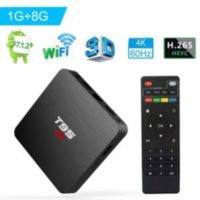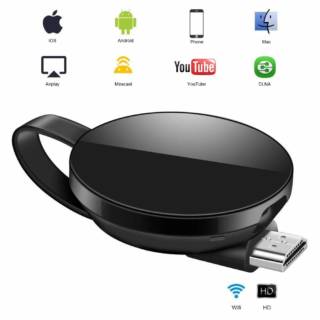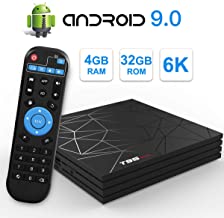
If you’re thinking about turning that old TV in the living room into a smart entertainment hub, an Android TV box is still one of the cheapest upgrades you can make in 2026. But here’s the catch: the market is flooded with junk, and most people end up buying a €25 box that stutters, overheats, and dies within six months. I’ve been through that, and I’m not going to let you make the same mistake.
Choosing the best Android TV box in 2026 isn’t about picking the one with the flashiest listing on Amazon. It’s about understanding what’s inside the plastic shell, because two boxes can look identical on the outside and perform like night and day.
What an Android TV Box Actually Does (And Why You Probably Need One)
An Android TV box is basically a mini computer that plugs into your TV’s HDMI port. It runs a modified version of Android, which means you get access to the Google Play Store, streaming apps like Netflix, Disney+, Prime Video, YouTube, plus games and even productivity tools.
The whole point is simple: instead of dropping €600 on a new smart TV, you spend €60–€150 on a box and get the same experience, often better because you can upgrade the box later without replacing the entire screen.
It’s not just about streaming, either. You can browse the web, check social media, view photos and videos from a USB drive, and even print documents if your printer is on the same Wi-Fi network. That’s the kind of flexibility a regular smart TV rarely gives you.
How to Choose the Best Android TV Box 2026: Specs That Actually Matter
Forget about marketing buzzwords. These are the specs you need to check before spending a single euro:
1. Processor and RAM
This is where cheap boxes fail. A quad-core processor with at least 2 GB of RAM is the bare minimum for smooth 1080p streaming. If you want 4K without buffering, go for 4 GB of RAM and a chip like the Amlogic S905X4 or newer. Anything less and you’ll be watching that spinning circle more than your shows.
2. Storage and expandability
16 GB of internal storage is okay, but you’ll fill it fast with apps. Look for a box with a microSD slot or USB ports so you can expand. If the manufacturer doesn’t mention expandable storage, assume there isn’t any.
3. Android version and updates
Check the manufacturer’s website to see if they push firmware updates. A box stuck on Android 9 in 2026 is a red flag. Google-certified devices (with the official Android TV or Google TV interface) get updates more reliably than generic boxes running a hacked version of Android.
4. Connectivity
Wi-Fi 6 is becoming standard in good boxes, but if you can, use the Ethernet port. A wired connection is still faster and more stable for 4K streaming. Bluetooth is handy for controllers and headphones, so don’t ignore it.
5. Ports
At least one USB 3.0 port, an HDMI 2.1 output, and an optical audio output if you have a soundbar or home theater system. These details separate a good box from a great one.
Android TV Box Price: What You Get for Your Money
A €20 box and a €200 box might look the same in the product photo, but inside they’re completely different animals. The cheap ones cut corners on the processor, use slow eMMC storage, and often run pirated Android builds that never get security patches.
Here’s a rough guide for 2026:
- Under €40: Basic 1080p streaming, okay for a secondary TV or guest room. Expect occasional lag.
- €50–€100: The sweet spot. 4K support, 4 GB RAM, decent processor, Google certification. This is where most people should buy.
- €100–€200: Premium boxes with Wi-Fi 6, more storage, better cooling, and sometimes built-in satellite TV tuners.
And yes, there are Android TV boxes with built-in satellite receivers. If you already have a satellite dish installed, this can be a killer feature. Just make sure the box supports the right DVB standard for your region.
Brands vs. No-Name Boxes: What I’d Actually Buy
I’m not going to pretend all brands are equal. Known names like Xiaomi, Nvidia (Shield), and Amazon (Fire TV Cube) have proven track records for updates and performance. But they also cost more.
If you go with a lesser-known brand, do your homework. Check forums, Reddit threads, and recent reviews. Look for complaints about overheating, Wi-Fi drops, or lack of updates. A box that was great in 2024 might be abandoned by 2026.
One more thing: don’t trust reviews that only talk about how «fast» the box is without mentioning the chipset. That’s a sign the reviewer doesn’t know what they’re talking about.
Setting It Up: Easier Than You Think
Plug the box into your TV’s HDMI port, connect the power adapter, and turn it on. You’ll see the Android setup screen, just like on a phone. Sign in with your Google account, connect to Wi-Fi or plug in an Ethernet cable, and you’re good to go.
From there, install your streaming apps, and you’re all set. If you’re still wondering whether Android TV in 2026 is worth your time, the answer is a resounding yes—just avoid the bargain-bin traps.