

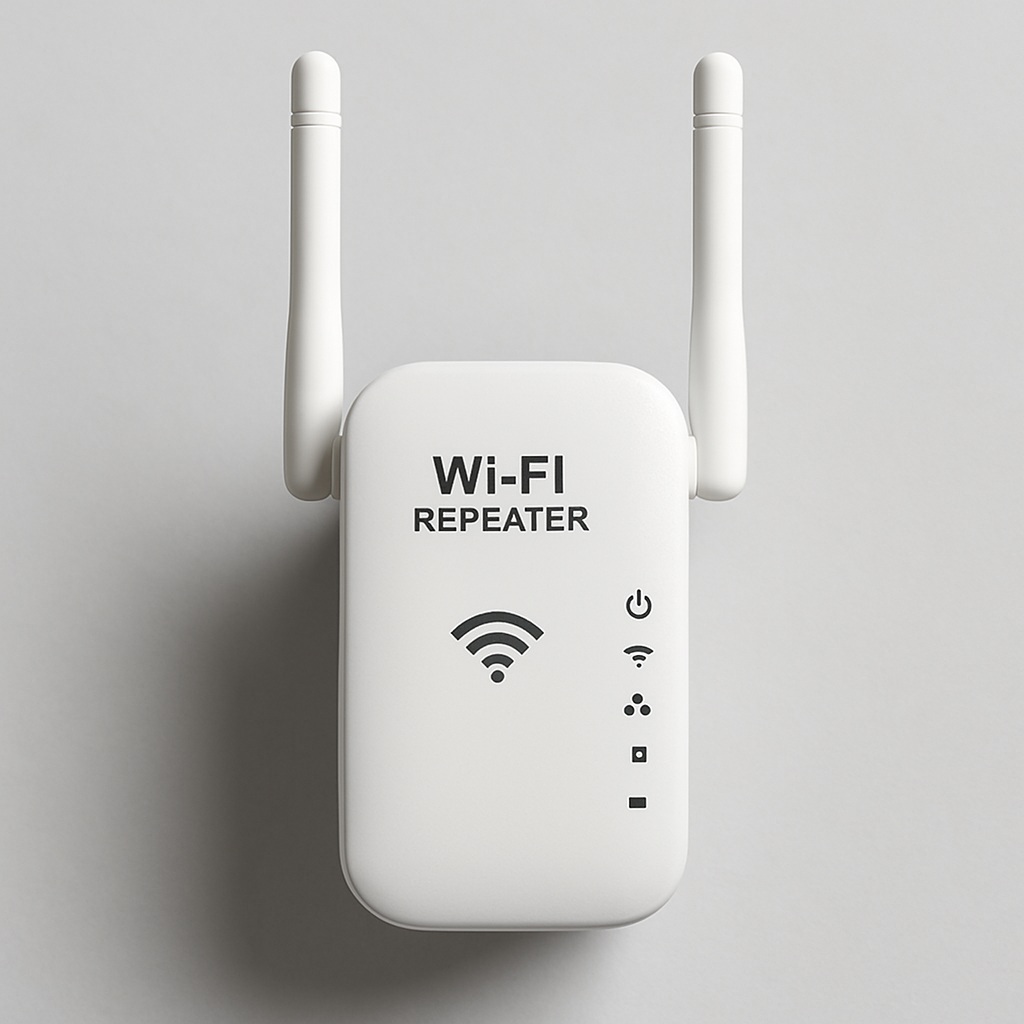
If your WiFi dies in the bedroom and you’re tired of watching movies at 240p, a WiFi repeater might be the cheap fix you’re looking for. But let’s be clear from the start: it’s not magic, and it’s not always the answer. Here’s the real deal, no fluff.
What a WiFi repeater actually does (and what it doesn’t)
A WiFi repeater captures your router’s existing signal, amplifies it, and rebroadcasts it under a new network name (SSID). That’s the key detail most people miss: it doesn’t extend the same network, it creates a second one. Your phone has to jump between them, and that handoff can cause a brief drop.
It’s not the same as a WiFi amplifier or a PLC (Powerline). A PLC sends internet through your electrical wiring, which is a completely different approach. And a Mesh system is a smarter, pricier cousin that keeps one single network across the whole house.
Rule of thumb: a repeater fixes coverage, not speed. If your base signal is already weak, the repeater will rebroadcast a weak signal.
Where a WiFi repeater for home makes sense
Dead zones are the enemy. If you’ve got a room, a basement, or a garage where the signal drops below 2 bars, a repeater can genuinely help. Classic scenarios:
- Bedroom far from the router (so you can scroll in bed without cursing).
- Living room where the smart TV buffers every 5 minutes.
- Garden or terrace, if you want to stream outside without frying your data plan.
- Garage, storage room, or small office in a separate building.
Placement matters more than the brand. If you plug the repeater in the room with no signal, it has nothing good to repeat. It needs to sit roughly halfway between the router and the dead zone, where the signal is still decent.
WiFi repeater for PC and gaming: the honest truth
For a desktop PC without a WiFi card, a repeater with an Ethernet port is a legit workaround. You plug the PC into the repeater by cable, and the repeater talks to the router wirelessly. It’s not as clean as a direct cable, but it beats buying a WiFi card and praying.
For gaming, though, I’d push back. Repeaters add latency because they have to receive and retransmit every packet. If you’re playing competitive shooters, a PLC or a direct Ethernet run will always win. A repeater with a dedicated backhaul band (tri-band models) softens the blow, but it doesn’t eliminate it.
If you work from home and your Zoom calls freeze, don’t blame your ISP first. Blame the WiFi path. A dual-band repeater (2.4GHz + 5GHz) on the 5GHz band will handle video calls far better than a cheap single-band unit.
WiFi repeater for TV and streaming
This is where repeaters shine for most people. A stable 4K stream needs roughly 25 Mbps sustained, and a decent repeater can deliver that if the source signal is solid. Two conditions:
- Connect the TV to the repeater by Ethernet if the repeater has a LAN port. Wireless-to-wireless double hop is where lag lives.
- Avoid the €15 no-name repeaters. They choke on 4K and thermal-throttle after an hour.
Netflix buffering on a repeater usually means the repeater is in a bad spot or the router is already saturated. Check both before returning it.
How to set up a WiFi repeater (real steps, not marketing)
The setup is genuinely simple, but the order matters:
- Plug the repeater into a socket halfway between router and dead zone.
- Wait for it to boot (30–60 seconds).
- Connect to its default WiFi network from your phone or laptop.
- Open the app or the web interface (usually 192.168.0.254 or a brand-specific IP).
- Select your router’s network, enter the password, done.
- Move it around and test speed with a speed test app until you find the sweet spot.
Pro tip: rename the repeater’s SSID with a «_EXT» suffix so you know which network you’re on. And if your router supports it, disable band steering during setup to avoid confusion.
WiFi repeater vs access point: the difference that matters
People mix these up constantly. An access point (AP) connects to your router by Ethernet cable and broadcasts WiFi from there. It gives you a rock-solid, full-speed signal because there’s no wireless backhaul. A repeater does everything wirelessly, which is convenient but costs you roughly 30–50% of throughput.
So: if you can run a cable, use an access point. If you can’t (rental, no drilling, lazy Sunday), use a repeater. That’s the entire decision.
Do repeaters reduce speed? Yes, and here’s the number
Expect a 30–50% drop in real-world throughput. That sounds brutal, but if your original signal in that room was 5 Mbps, getting 15 Mbps from a repeater is still a massive win. The math only hurts when you already had good speed and just wanted more range.
Mesh systems handle this better because they use a dedicated backhaul channel. That’s why they cost three times more. You’re paying for the intelligence, not the plastic.
Which WiFi repeater to buy in 2026
Prices have dropped and specs have improved. Realistic tiers:
- Budget (€20–40): TP-Link RE200 or RE220. Fine for browsing, email, and light streaming. Don’t expect miracles.
- Mid-range (€50–80): Netgear EX6120 or TP-Link RE450. Better range, dual-band, good for HD streaming and video calls.
- Premium (€100+): TP-Link RE650 or a Mesh system like Deco M5. The RE650 is my pick for a single dead zone; Mesh if you need whole-home coverage.
Watch Amazon and MediaMarkt for sales. These things drop 30% regularly, and there’s no reason to pay full price.
When a repeater is the wrong answer
If your house is over 100 m² with multiple dead zones, a single repeater will just move the problem around. Go Mesh. If you need maximum speed for gaming or 4K editing over the network, go PLC or Ethernet. If you’re renting and can’t drill, a repeater is your realistic option, but accept the speed hit.
Bottom line: a WiFi repeater is a tool, not a cure. Used in the right spot, with the right expectations, it turns a useless room into a usable one for under €50. Used wrong, it’s a €30 paperweight blinking in your hallway.
