

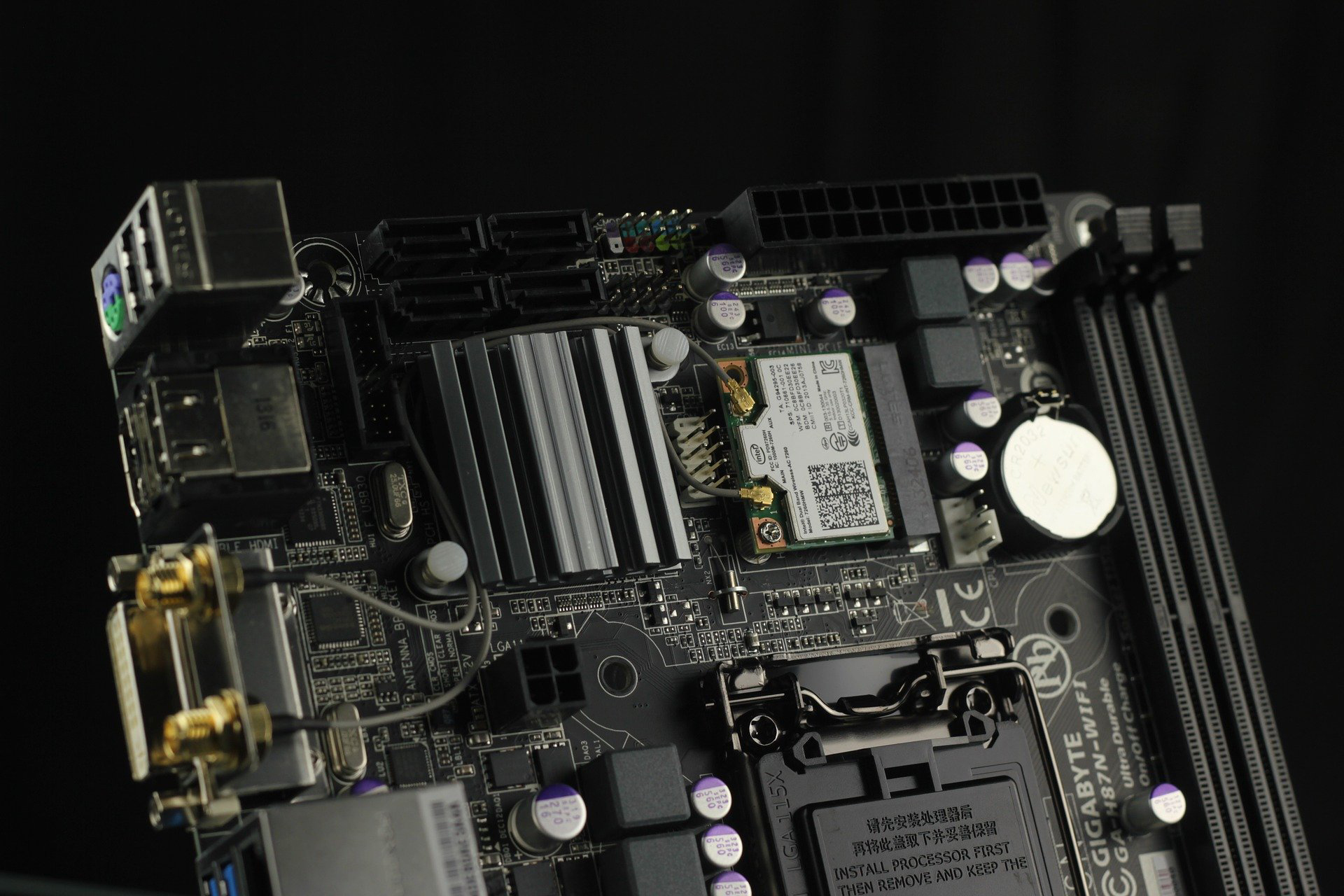
Most people throw around the word «hardware» like everyone already knows what it means. They don’t. And that confusion costs money, time, and a lot of unnecessary tech support calls. So let’s cut through it: hardware is every physical component inside or attached to a computer that you can actually touch. That’s the definition, and it’s not negotiable.
The opposite of hardware is software. If you can pick it up, drop it, or fry it with static electricity, it’s hardware. If it’s code living on a drive, it’s software. Simple. The problem is that tons of users mix up these two terms every single day, and that mix-up leads to buying the wrong thing or blaming the wrong part when a PC acts up.
Hardware vs Software: Where People Get It Wrong
A graphics card, a sound card, a hard drive, a stick of RAM, the motherboard, the CPU, the power supply, the fans, the monitor, the keyboard, the mouse — all of that is hardware. Physical stuff.
Now here’s the part that trips people up: none of that hardware does anything useful on its own. A brand-new GPU sitting in a box is just expensive metal and plastic. It needs drivers to function. And drivers? Those are software. They’re little programs written specifically to tell the hardware how to behave once it’s installed on your PC or laptop.
So the relationship is dead simple: hardware is the body, software is the brain telling it what to do. Without drivers, your graphics card won’t render anything. Without the operating system, your SSD is just a silent brick. That’s why installing a new component and forgetting the drivers is one of the most common self-inflicted tech disasters out there.
Types of Computer Hardware You’ll Actually Encounter
When someone asks for the complete definition of computer hardware, they usually want examples. Fair enough. Here’s how it breaks down in the real world:
- Internal components: CPU, RAM, motherboard, GPU, PSU, storage drives (HDD or SSD), cooling systems.
- Peripherals: monitors, keyboards, mice, printers, webcams, speakers, external drives.
- Networking gear: routers, modems, network cards, switches.
- Mobile hardware: smartphone chips, touchscreens, batteries, cameras.
Each one plays a specific role, and each one has its own driver requirements. A printer without its driver is a paperweight. A webcam without its driver is a plastic clip on your monitor. This is exactly why hardware and software are inseparable in practice, even though they’re totally different things in definition.
Why the Hardware Definition Matters More Than You Think
If you’re building a PC, upgrading a laptop, or just trying to figure out why your machine crawls when it boots, knowing what hardware is and what it does changes everything. You stop guessing and start diagnosing.
Slow startup? Could be an old hard drive instead of an SSD, insufficient RAM, or malware eating resources. Random crashes? Might be a failing power supply or overheating CPU. Blue screens? Often a RAM stick gone bad or a driver conflict. None of that makes sense if you don’t know what hardware is and how it interacts with software.
Buying hardware without understanding drivers is like buying a car without keys. It looks great in the driveway and goes nowhere.
Where to Buy Computer Hardware Without Getting Ripped Off
If you’re hunting for a store for computer components, you’ve got options. Big retailers, specialized shops, online marketplaces. The trick is knowing what you’re buying and whether the price matches the specs.
At empresadeserviciosweb we run a hardware store section where you can browse a wide catalog of components and software at genuinely cheap prices, with delivery to your door and free shipping on qualifying orders. No inflated markups, no mystery brands. Just parts that work and arrive fast.
Whether you need a replacement RAM module, a new SSD to finally kill those slow boot times, or a graphics card that can handle modern games and editing software, having a reliable source for hardware matters. And it matters just as much to know the definition of what you’re buying before you click «add to cart.»
The Bottom Line on Hardware
Hardware is the physical foundation of every computer, phone, and device you touch daily. Software makes it work. Drivers bridge the gap. Confuse the two and you’ll waste money. Understand them and you’ll make smarter upgrades, faster fixes, and better buying decisions.
That’s the definition. No fluff, no academic nonsense. Just what hardware is, what it isn’t, and why it matters when you’re standing in front of a PC that won’t cooperate.
