

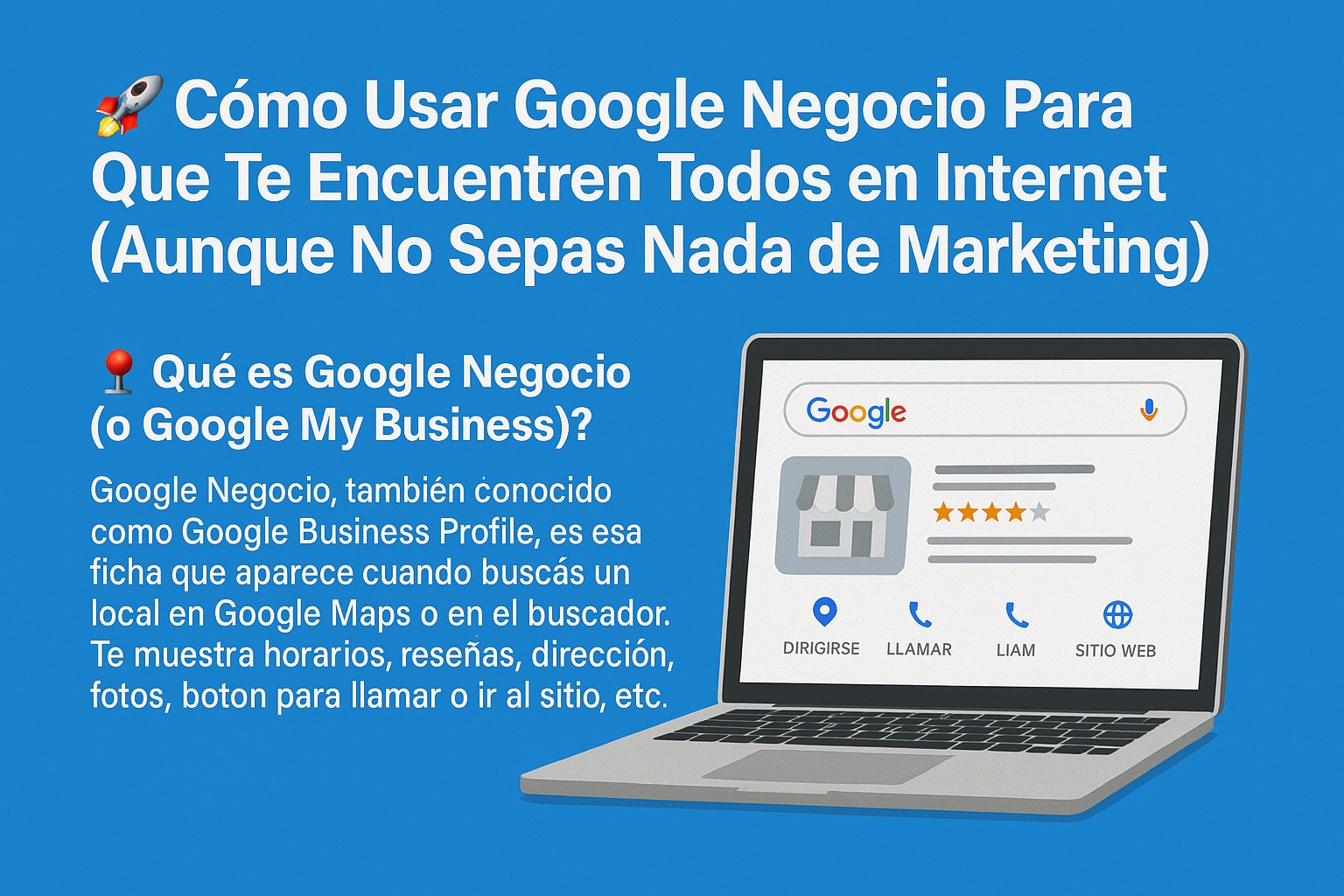
If you run a local business, sell on Instagram, do nails, cut hair, cook homemade food, or deliver orders, Google Business Profile is the tool that decides whether people find you or scroll past you. In 2026, if you’re not on Google, you practically don’t exist. And I mean that literally: potential customers open Google Maps before they open Instagram.
What Google Business Profile Actually Is (And Why It’s Not Just a Listing)
Google Business Profile (formerly Google My Business) is the panel that shows up when someone searches for a business on Google or Google Maps. It displays your hours, reviews, address, photos, and buttons to call, message, or visit your website. Think of it as your digital storefront, except it’s free and works 24/7.
Here’s the part most people miss: this isn’t just a directory entry. Google uses your profile to decide who to show when someone types «nail salon near me» or «best takeaway in my area.» The more complete and active your profile, the more likely you are to appear in the local pack, the map results that sit right below the ads. That’s prime real estate, and you don’t pay a cent for it.
I get it: Instagram and TikTok feel easier. You post, you get likes, you feel seen. But when someone actually wants to buy, they don’t browse Reels. They search Google. They want hours, directions, and reviews, fast.
Google Business Profile puts all that in one place. It gives you immediate local visibility, helps you rank on Google Maps, lets customers message or call you directly, and collects reviews that build trust and push you higher in rankings. You can also showcase products with real photos, which matters more than you think.
One thing social media can’t do: it doesn’t connect your business to a location or service area in a way Google’s algorithm trusts. That’s why a bakery with 200 Instagram followers and a solid Google profile will outrank a competitor with 5,000 followers and no profile. Google rewards presence, not popularity.
How to Set Up Your Google Business Profile Step by Step
Creating your profile is straightforward, but a few details make or break your visibility. Follow this order and you won’t waste time.
Step 1: Create a Google account if you don’t have one. Go to business.google.com and sign in with a Gmail address. I recommend a dedicated one for your business so you keep things clean.
Step 2: Add your business name exactly as customers know it. If people search for «Uñas Flor,» don’t write «Servicios de manicure Florencia.» Google matches what people type, not what sounds fancy.
Step 3: Choose the right category. This is critical. Pick something Google understands: «Hair salon,» «Takeaway food,» «Beauty center.» You can add secondary categories later, but the main one must be spot on.
Step 4: Set your address or service area. If you have a physical location, enter the exact address. If you don’t want to show it, choose the option to hide it and select the areas you serve. Perfect for delivery or mobile services.
Step 5: Add contact details. Phone, website, or social media if you don’t have a site yet. Instagram links still help. And set real hours, not aspirational ones.
Step 6: Verify your business. Google will ask you to prove you’re real. Options include a physical postcard (takes days), a text message, or a video selfie showing your location. Yes, it sounds odd, but it works. Verification is mandatory for your profile to go public.
How to Optimize Your Profile and Get Found Without Paying for Ads
Getting verified is just the start. If you stop there, you’ll be invisible. Here’s what actually moves the needle in 2026.
Add real, current photos. Photos of your products, your space, your team. Skip stock images and overly staged shots. Natural photos get more clicks and build more trust.
Ask for reviews without shame. After a good service, send the link. Say something like: «Did you like the haircut? Want me to send you the link so you can leave a review? It really helps me.» Most people say yes if you ask directly.
Respond to every review, even the bad ones. Thank people respectfully, always. Google values real interaction, and future customers read your replies to see how you handle criticism.
Use weekly posts. Google Business Profile lets you publish mini posts about promos, new services, or events. This keeps your profile active, and active profiles get more visibility.
Pros and Cons of Google Business Profile You Should Know
Nothing is perfect, and pretending otherwise doesn’t help you. Here’s the honest breakdown.
- Pros: It’s free. You get visibility on Google and Maps. It builds trust and professionalism. It’s ideal for small or home-based businesses. You can manage it entirely from your phone.
- Cons: Verification can take a while. A bad review can sting, though you can manage it. It requires maintenance, like anything that works.
My take: the cons are minor compared to the upside. A bad review isn’t a death sentence; it’s a chance to show you care. And maintenance? Ten minutes a week is enough if you’re consistent.
SEO Tips to Rank Fast on Google Maps
If you want to rank fast, treat your profile like a landing page, not a form you fill once. These tips work because they align with what Google’s local algorithm rewards.
- Use local keywords in your business description, like your city or neighborhood.
- Enable messaging so customers can contact you directly from Google.
- Keep your hours updated, especially around holidays.
- Link your listing from your website and social media.
- Don’t copy your website description. Write something unique for your profile.
One more thing: your business description isn’t just for customers. It’s for Google’s crawlers. Write it naturally, include your main service and location, and avoid keyword stuffing. That’s how you get cited by AI tools and rank in the local pack.
Common Mistakes That Kill Your Local Visibility
I’ve seen businesses do everything right and still fail because of small errors. Using a business name stuffed with keywords gets you suspended. Ignoring reviews makes you look dead. Posting once and disappearing tells Google you’re inactive.
Another big one: not linking your profile to your website. If you have a site, connect it. If you don’t, at least link your Instagram. Google needs signals, and links are signals.
Finally, don’t treat your profile as a one-time task. Update photos monthly, post weekly, and respond to reviews within 48 hours. That rhythm keeps you visible and competitive.
Final Word: Start Today, Not Tomorrow
Google Business Profile is the cheapest, most effective local marketing tool you have. It’s free, it works, and it puts you in front of people who are already looking for what you sell. Set it up, verify it, optimize it, and keep it active. In 2026, that’s the difference between being found and being invisible.
