

So you want a website but don’t want to spend a dime? WordPress can do it, but not the way most tutorials tell you. I’ve built sites on free hosting, free themes, and free plugins, and I’m here to give you the real deal. No fluff, just the steps and the trade-offs you need to know.
Free WordPress Hosting: The Truth Nobody Tells You
Free hosting sounds amazing until your site goes down because someone else’s spammy blog got all the resources. I’ve tried 000webhost and InfinityFree – they work for a hobby project, but don’t expect reliability. If you’re serious, Hostinger has plans starting at €1/month. That’s basically free, and you get actual support and uptime. So when you search for “free WordPress hosting,” know that the truly free options have limits: no custom domains, forced ads, and slow speeds.
My take: if you’re just testing an idea, go free. But the moment you want visitors, upgrade. You’ll thank me later.
How to Install WordPress on Free Hosting (Step-by-Step)
Most free hosts have a one-click installer. Here’s the quick version: sign up, go to your control panel, find “WordPress” under auto-installers, and click. You’ll need to choose a subdomain (like yoursite.000webhostapp.com) and set up an admin username and password. Done. The whole process takes under five minutes.
But here’s the catch: some free hosts limit database size or PHP memory. If your site gets popular, you’ll hit a wall. That’s why I recommend starting on free, but having a migration plan.
Free WordPress Plugins That Actually Deliver
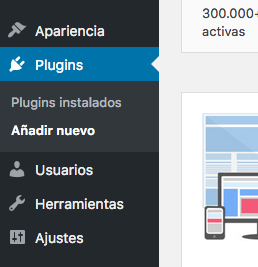
Plugins are what make WordPress a powerhouse. For free, you can’t beat these three:
- Elementor – drag-and-drop page builder. I use it on every site because it’s fast and flexible.
- Yoast SEO – handles meta tags, sitemaps, and readability checks. Essential for ranking.
- WooCommerce – if you want to sell anything, this turns your site into a store.
But don’t go crazy. Every plugin adds bloat. I’ve seen sites with 30 plugins crawl like a snail. Stick to the essentials and check reviews before installing.
A good theme makes or breaks your site. Free options like Astra, OceanWP, and Neve are lightweight, customizable, and work with page builders. Astra is my go-to for blogs, OceanWP for eCommerce, and Neve when speed is critical.
Make sure whatever theme you pick is responsive – more than half of your visitors will be on mobile. Test it on your phone before committing.
Free themes are fine to start, but they often lack support and have limited features. If you need priority help, advanced customization, or better security, consider a premium theme like Divi or Avada. They cost money, but they save time and headaches.
My rule: start free, upgrade when you outgrow it. Don’t waste money on premium until you know your site is worth it.
Setting Up Your Site: The Non-Negotiables
Once WordPress is installed, do these things immediately:
- Set your permalinks to “Post name” for SEO-friendly URLs.
- Install an SSL certificate – many free hosts offer it via Let’s Encrypt.
- Create a contact page and an about page. Trust signals matter.
- Install a caching plugin like WP Super Cache to speed things up.
Skip these and you’ll wonder why no one visits. Trust me, I learned the hard way.
Monetization: How to Make Money from Your Free Site
You don’t need a big budget to earn. Start with Google AdSense – it’s free to join and you get paid per click. Affiliate marketing works too: recommend products you use and earn a commission. But don’t expect overnight riches; it takes traffic and time.
Focus on providing value first. The money follows.
Security on a Budget
Free hosting can be a security risk. Use a plugin like Wordfence or Sucuri to scan for malware. Keep everything updated – WordPress core, themes, and plugins. And use strong passwords. I’ve seen too many sites get hacked because of a weak password.
If you handle customer data, consider a low-cost host with better security. It’s worth the few bucks.
Scaling Up: When Free Isn’t Enough
Your site will eventually outgrow free hosting. Signs: slow load times, downtime, or you need custom features. That’s when you move to a paid host like Hostinger, SiteGround, or Bluehost. Migration is usually straightforward with plugins like Duplicator.
Don’t be scared to upgrade. It’s a sign you’re growing.
Building a website with WordPress for free is totally doable in 2026. Just be smart about the limits and know when to invest. Now go build something awesome.


