

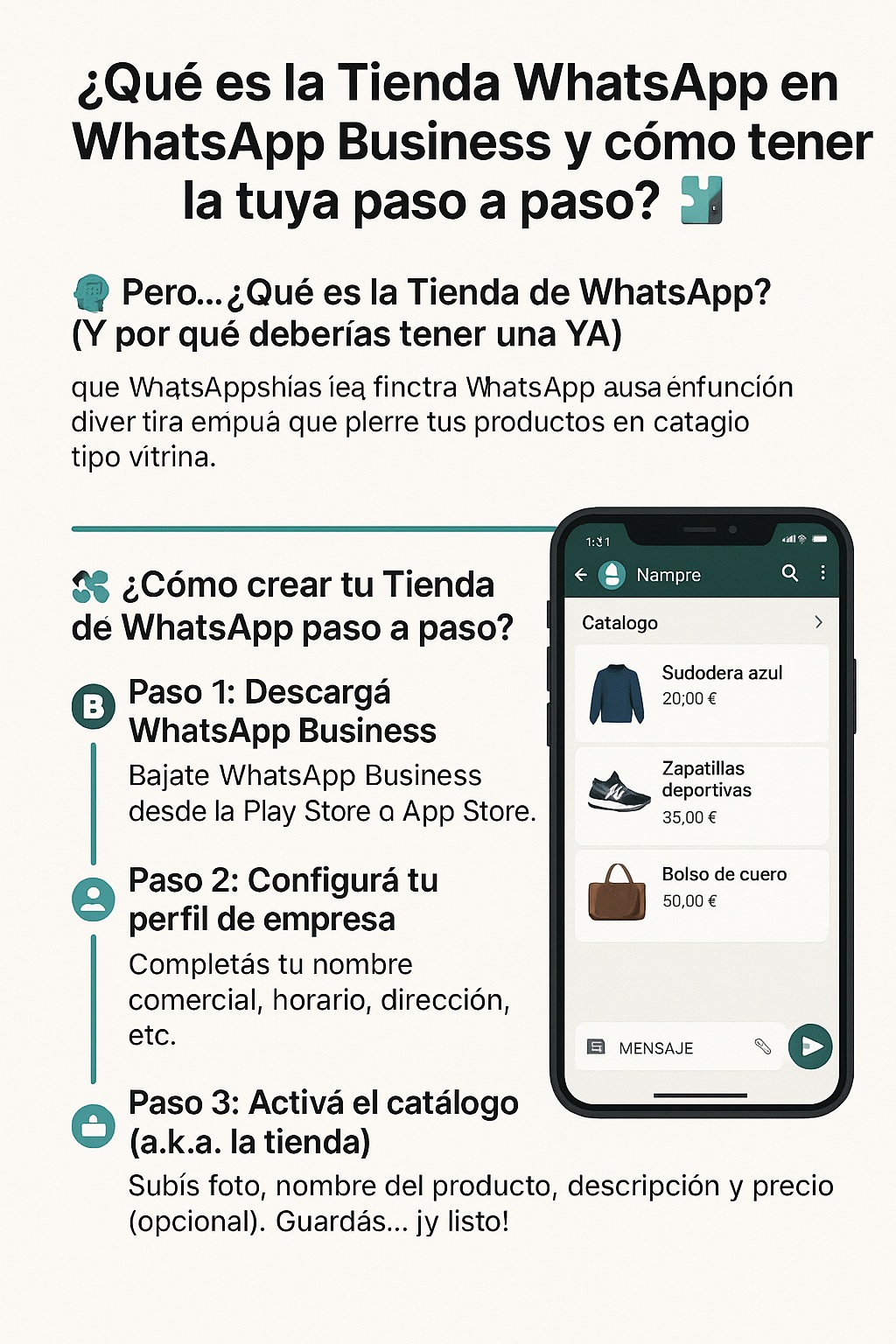
Have you heard about the <a href="https://www.empresadeserviciosweb.com/post/que-es-seo-y-por-que-es-importante-para-los-sitios-web/” title=”store“>store of <a href=”https://www.empresadeserviciosweb.com/post/how-to-send-a-long-audio-via-whatsapp/” title=”whatsapp”>whatsapp but you have no idea what it is or how to use it? Don’t worry, here I’ll explain it to you without any fuss and in plain language, just like you see on Facebook. Because yes, if you have a business (even if it’s at home) this can change the game for you.
🧠 But… What is the WhatsApp Store? (And why you should have one NOW)
The famous WhatsApp Store is a feature within WhatsApp Business that allows you to show your products as if it were a showcase-style catalog. But it’s not a common online store like Shopify or Mercado Libre, but something more direct: people see what you sell, message you right away and boom! they buy from you. 🔥
That is, instead of sending photos one by one like before, now you have everything organized: product, price, description and a button to chat. Simple but powerful.
🛠️ How to create your WhatsApp Store step by step? 📲
This is like setting up a little shop on your phone. Here’s the complete guide, without weird technical words.
📌 Step 1: Download WhatsApp Business
- If you use regular WhatsApp, it won’t work for this.
- Download <a href="https://play.google.com/store/apps/details?id=com.whatsapp.w4b&hl=es_US”>WhatsApp Business from the Play Store or App Store.
- You don’t lose your chats or anything, don’t worry.
📌 Step 2: Set up your business profile
- Go to settings > Business tools.
- Fill in your business name, hours, address (if you have one), description, etc.
- This makes you look pro, and builds trust.
📌 Step 3: Activate the catalog (a.k.a. the store)
- Go to “Catalog” in the business tools menu.
- Tap “Add new item”.
- Upload a photo, product name, description and price (optional but recommended).
- You can add a link or code if you sell something digital.
- Save… and done! Your store is now online.
📌 Step 4: Share your store
- You can share each product as a link.
- You can also generate a WhatsApp button on your website or social media.
- Or use the famous “Click to chat” with your catalog already loaded.
⚖️ Pros and Cons of the WhatsApp Store 🧾
✅ Pros:
- Free, no commissions or middleman platforms.
- Super easy to use, no need to know anything about technology.
- Straight to the point: the customer sees and messages you.
- Ideal for small businesses, independent sellers or startups.
❌ Cons:
- It doesn’t have an integrated payment gateway (yet).
- There’s no shopping cart or automatic stock.
- It doesn’t replace a pro online store if you have high volume.
🔐 Is it safe to use WhatsApp Business and its store?
Yes, everything is end-to-end encrypted. Also, since there are no integrated payments, you don’t have to give banking details. Even so, it’s always key to verify that your account is protected with two-step verification.
🧲 SEO Tips to get the most out of your WhatsApp Store
- Use keywords in product names (e.g., “Black handmade leather wallet” instead of “Pretty bag”).
- Show visible prices, it builds trust.
- Upload good photos, make sure they look clear.
- Share your catalog in stories, Instagram bio and posts with a clear CTA.
🧭 Where to learn more or verify official info?
You can see more about this on the <a href="https://business.whatsapp.com/products/business-platform?lang=es_LA”>official WhatsApp Business page, where they explain it in more detail if you want to see technical or legal stuff.
📝 Conclusion: Is it worth activating your WhatsApp Store?
If you have a business, you’re losing sales if you don’t use this tool. Nowadays, people don’t want to go to a website, log in, pay with a card, wait… They want to message you, order and that’s it.
This store is like having a 24/7 salesperson in your pocket. And even though it’s not perfect, to get started it’s a blast. So now you know: create your store, show what you sell and start getting paid through WhatsApp. 🚀


