

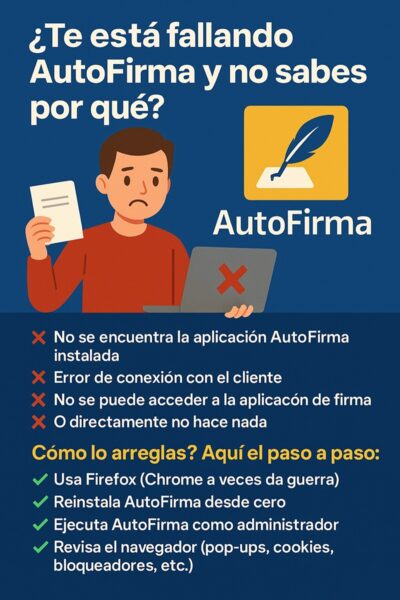
Let’s cut the crap: AutoFirma cannot be used without a digital certificate. If you’ve landed here hoping to sign a PDF with just the app and no certificate, you’re wasting your time. AutoFirma is a client that talks to your certificate — it doesn’t create signatures out of thin air. No certificate, no signature. Period.
I’ve seen people on forums asking if there’s a «trick» to bypass this. There isn’t. The Spanish government designed AutoFirma as a bridge between your browser and the cryptographic identity stored in your certificate or DNIe. Without that identity, the app is just a fancy launcher with nothing to launch.
What AutoFirma Actually Does (And What It Doesn’t)
AutoFirma is a desktop application developed by the Spanish Ministry of Finance and Public Function. Its job is to handle the local signing operations that browsers can’t do on their own. When you click «sign» on a government website, AutoFirma wakes up, asks for your certificate, and performs the cryptographic operation on your machine.
That’s it. It’s a middleman. The legal weight of the signature comes from the digital certificate — FNMT, DNIe, Camerfirma, or any other qualified provider. AutoFirma just makes the process smoother than dealing with Java applets or manual file handling.
Without a certificate installed in your Windows, macOS, or Linux certificate store, AutoFirma will open, show an empty list, and refuse to sign anything. You’ll get errors like «no se ha encontrado ningún certificado» or «no hay certificados disponibles». That’s not a bug. It’s the system working as intended.
Can You Use AutoFirma With DNIe Without Installing Anything?
This is where people get confused. The DNIe (electronic Spanish ID) is itself a digital certificate stored on a physical card. To use it with AutoFirma, you still need:
- A smart card reader connected to your computer
- The official DNIe drivers installed
- AutoFirma installed and configured
- The card inserted and the PIN entered
So no, you’re not skipping the certificate. The DNIe is the certificate. AutoFirma just reads it through the card reader. If your reader doesn’t work or the drivers are outdated, AutoFirma won’t see anything, and you won’t sign a single document.
I’ve tested this on Windows 11 with a generic reader and the official DNIe middleware. It works, but only after installing the correct drivers. On macOS, it’s more finicky — you often need to install the DNIe drivers manually and grant permissions in System Settings. On Linux, good luck unless you’re comfortable with p11-kit and OpenSC.
The «Sign Without Certificate» Myth: Where It Comes From
Some people confuse AutoFirma with tools that let you draw a handwritten signature on a PDF. Those exist — Adobe Acrobat, Preview on Mac, and countless web apps let you draw, type, or upload an image of your signature.
But that’s not an electronic signature with legal validity in Spain. Under eIDAS regulation and Spanish Law 6/2020, a qualified electronic signature requires a qualified certificate. A drawn signature is just a graphic. It has zero cryptographic value.
AutoFirma doesn’t do drawn signatures. It doesn’t do «simple» signatures. It only does certificate-based signatures. If you need to sign a PDF without a certificate, you’re looking at the wrong tool entirely.
What Happens If You Try to Use AutoFirma Without a Certificate
You’ll hit a wall. The app will launch, the interface will appear, but when you try to sign, it will throw an error. Common messages include:
- «No se ha encontrado ningún certificado de firma»
- «No hay certificados disponibles para firmar»
- «Error al obtener los certificados del almacén»
These aren’t cryptic. They mean exactly what they say: there’s nothing to sign with. AutoFirma doesn’t have a fallback mode. It doesn’t generate a temporary certificate. It doesn’t let you sign as a guest.
I’ve seen tutorials claiming you can «configure AutoFirma to work without a certificate» by editing config files or using command-line flags. That’s nonsense. The app’s source code is public — it’s on GitHub under the Spanish government’s repos. There’s no hidden mode. Anyone claiming otherwise is either confused or trying to sell you something.
How to Get a Digital Certificate for AutoFirma (2026)
If you actually need to use AutoFirma, here’s the real path:
- FNMT certificate: Request it online at sede.fnmt.gob.es. You’ll need to verify your identity at an official registration office (tax office, social security office, etc.). It’s free for individuals.
- DNIe: If you have the electronic ID card and a reader, you already have a certificate. Install the drivers and you’re set.
- Other providers: Camerfirma, ACCV, Izenpe, and others issue qualified certificates, often through your bank or professional association.
Once installed, AutoFirma will detect the certificate automatically. On Windows, it reads from the system store. On macOS, from the keychain. On Linux, from the NSS database or PKCS#11 modules.
The certificate is what
