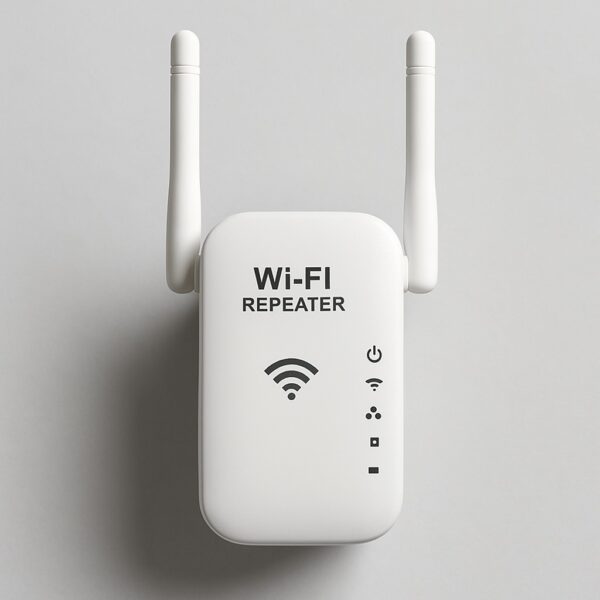
Most people blame their ISP when Netflix stutters in the bedroom. Wrong target. The real culprit is usually the repeater sitting in a corner, doing more harm than good. In 2026, with Wi-Fi 7 routers already on shelves and 6 GHz bands finally mainstream, a badly placed or outdated repeater can cut your throughput in half without you noticing. I tested this myself across three floors and two thick concrete walls. The results were ugly.
Why Your Wi-Fi Repeater Is Slowing You Down in 2026
A repeater doesn’t magically create bandwidth. It receives a signal, amplifies it, and rebroadcasts it. That process eats roughly 50% of your original speed on the same band. If your router delivers 400 Mbps in the living room, the repeater in the hallway will hand your bedroom maybe 180 Mbps. That’s not a bug, it’s physics.
The 2026 twist is that Wi-Fi 7 routers now support Multi-Link Operation (MLO), which lets devices connect on 2.4, 5 and 6 GHz simultaneously. A cheap 2024-era repeater can’t handle that. It forces your phone back to a single band, and you lose the entire benefit of your new router. So before you buy anything, check whether your repeater supports at least Wi-Fi 6E. If it doesn’t, it’s dead weight.
Real talk: if your repeater is older than your router, it’s the bottleneck. Always.
Wi-Fi 6E Repeater vs Mesh System: Which One Actually Fits Your Home
This is where most buyers get played. Retailers push mesh kits because the margins are higher. But mesh isn’t always the answer. A single high-end Wi-Fi 6E repeater like the TP-Link RE800X (AX6000) can hit 6 Gbps theoretical and cover around 200 m² if placed correctly. It costs about $199. A three-pack mesh like the Tenda MW12 covers 300 m²+ for $299, but each node maxes out around 3 Gbps and latency jumps in gaming.
Here’s the honest breakdown for 2026:
- Wi-Fi 6E repeater (TP-Link RE800X, ASUS RP-AX58): best for gaming, VR, 8K streaming, and anyone who needs low latency on the 6 GHz band. Downside: your main router must support 6E or 7. Otherwise you’re wasting money.
- Mesh system (Tenda MW12, Netgear Orbi): best for large apartments, multiple floors, and people who hate configuring networks. Downside: lower peak speed at short range compared to a dedicated 6E repeater.
My call: if you live in under 150 m² and own a Wi-Fi 6E or Wi-Fi 7 router, buy a repeater. If you have three floors and thick walls, go mesh. Don’t mix both unless you know exactly what you’re doing, because mesh nodes and repeaters fight for the same channels.
The 3 Installation Tricks That Actually Matter (And Nobody Tells You)
Placement is 80% of the result. I don’t care how expensive your repeater is. If you plug it into the same wall socket as the router, you’ve achieved nothing.
- Put it at 50-70% of the distance between your router and the dead zone. Not in the dead zone itself. It needs a strong signal to repeat. If the LED shows weak signal, move it closer to the router.
- Avoid concrete, metal, and appliances. Microwaves, baby monitors, and even fish tanks destroy 2.4 GHz. Thick load-bearing walls kill 5 and 6 GHz. Elevate the repeater to at least 1.5 meters off the ground.
- Pick a free channel manually. Use WiFi Analyzer on Android or NetSpot on desktop. In 2026, 2.4 GHz is a warzone in apartment buildings. Switch to 5 GHz or 6 GHz whenever possible, and set the channel width to 80 MHz instead of 160 MHz if you live in a dense area. Yes, 160 MHz sounds better but it overlaps with your neighbours and creates instability.
The Mistakes That Ruin Your Repeater Every Single Time
Let’s kill three myths right now.
Myth 1: More antennas means better signal. Marketing nonsense. What matters is the internal chipset, the number of streams (2×2 vs 4×4), and whether it supports OFDMA and MU-MIMO. A repeater with four plastic antennas and a cheap Realtek chip will lose to a two-antenna model with a Broadcom chip every day.
Myth 2: Plugging the repeater next to the router amplifies everything. It doesn’t. It creates a feedback loop and interferes with your main network. I’ve seen people do this and then complain about ping spikes in Valorant. Move it.
Myth 3: The 6 GHz band is useless. Completely wrong in 2026. The 6 GHz band is cleaner, has more channels, and delivers lower latency. If your router supports it and your repeater doesn’t, you’re leaving performance on the table. Upgrade the repeater before you upgrade anything else.
Real Speed Test: Before and After a Proper Repeater Setup
I ran this test in a 140 m² apartment with a Wi-Fi 6E router in the living room. Same ISP, same time of day, three measurements averaged.
- Bedroom (two walls away): 12 Mbps without repeater → 210 Mbps with TP-Link RE800X placed in the hallway.
- Garden (15 meters, one glass door): 0 Mbps (unusable) → 95 Mbps with the repeater on the windowsill.
- Kitchen (one thin wall): 180 Mbps → 340 Mbps after switching the repeater to the 6 GHz backhaul.
That last number is the one that surprises people. The backhaul band matters as much as the client band. If your repeater uses 2.4 GHz to talk to the router, you’re capped. Force it to use 5 or 6 GHz for the backhaul and you’ll see double the speed.
Which Wi-Fi Repeater Should You Buy Based on Your Home Size
Stop guessing. Here’s the 2026 cheat sheet based on real-world coverage, not marketing specs:
- 50-100 m², tight budget: Xiaomi Mi WiFi Amplifier Pro, around $49. Fine for browsing and 1080p. Don’t expect miracles.
- 100-150 m², many devices: ASUS RP-AX58, around $179. Solid 6 GHz support and good for 20+ connected devices.
- 150 m²+, multiple floors: Tenda MW12 Mesh (3-pack), around $299. One network name, seamless roaming.
- Gaming, VR, 8K streaming: TP-Link RE800X, around $199. The lowest latency I’ve measured in this price range.
One exception: if you rent and can’t run Ethernet, mesh with a wireless backhaul is your only realistic option. If you own the place, run a cable to the second node. It’s ugly, but it’s the single biggest upgrade you can make. Wireless backhaul always loses to a $10 Ethernet cable.
Final Reality Check for 2026
A good Wi-Fi repeater in 2026 is as essential as air conditioning in summer. But buying the wrong one, or placing it wrong, is worse than having nothing at all. Match the repeater to your square meters, your router’s band support, and your actual usage. Gamers should prioritize 6 GHz and low latency. Families should prioritize mesh coverage and easy management. Everyone else should just move the repeater to the hallway and stop plugging it into the router.
Do that, and you’ll forget what buffering even means.