

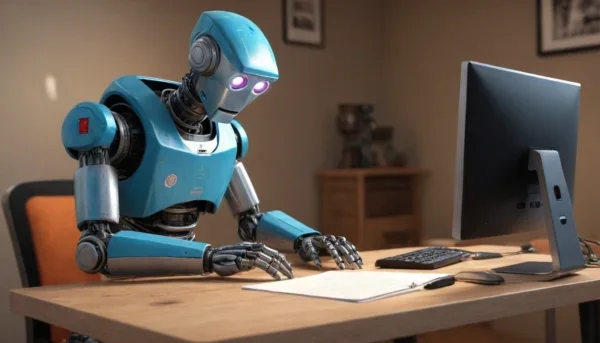
Let’s cut the fluff: you don’t need a film degree or a $2,000 camera to make a video that looks like it came out of a studio. In 2026, creating cinematic videos with AI for free is not a gimmick — it’s a real workflow that teachers, students, and small creators are using every single day to replace expensive editing suites.
I’ve tested this stuff myself. The gap between “AI slop” and something genuinely watchable has closed fast. Tools like Runway, Pika, HeyGen and Synthesia now ship free tiers that are good enough for classroom content, social clips, and even short films.
Why AI video generation actually works now
Two years ago, AI video meant six-fingered avatars and blurry motion. That era is over. Modern diffusion models handle lighting, camera movement and lip-sync well enough that most viewers won’t clock it unless you tell them.
The real shift isn’t the visuals — it’s the workflow. You can go from a plain text prompt or a slide deck to a finished video with narration, subtitles and background music in under 20 minutes. That’s the core promise of free AI video tools for education and content creation, and it holds up.
My honest take: don’t chase perfection. Chase consistency. A slightly imperfect AI video posted weekly beats a “perfect” one you never finish.
The free tools worth your time (and the ones to skip)
Not every free tier is usable. Some cap you at 3 seconds of watermarked footage, which is useless. Here’s what actually works without pulling out a credit card:
- Runway ML — best for cinematic B-roll and text-to-video. Free credits reset monthly. Motion quality is still the industry benchmark.
- Pika Labs — great for stylized, dreamlike shots. Fast renders, decent free quota.
- HeyGen — the go-to for talking-head avatars and multi-language dubbing. Free plan gives you a few minutes per month.
- Synthesia — corporate-friendly avatars, free demo tier. Strong for training videos.
- CapCut + AI features — free auto-captions, background removal and voice cloning. Underrated.
What I’d skip: anything that demands your phone number and a “free trial” that auto-charges on day 8. If a tool hides its pricing, it’s not free.
Turning a text prompt into a cinematic clip
Here’s the actual process I use. No fluff, no five-step frameworks.
- Write a 2-3 sentence script. Not a paragraph. Voice-over timing dies on long scripts.
- Generate 4-6 short clips (3-5 seconds each) instead of one long shot. You’ll cut them together anyway.
- Add a voiceover using ElevenLabs’ free tier or your own phone mic. Your own voice sounds more human.
- Drop everything into CapCut, add captions, and a subtle music bed.
- Export at 1080p. 4K is a waste of render time for most platforms.
That’s it. The magic isn’t in one tool — it’s in stitching small pieces together. Anyone promising a one-click cinematic masterpiece is selling something.
AI avatars and dubbing for inclusive classrooms
This is where AI video really shines for education. You can record yourself once, then generate the same lesson in Spanish, French and Portuguese with synced lips. For teachers with multilingual students, that’s not a luxury — it’s accessibility.
Automatic subtitles are another quiet win. Not just for deaf and hard-of-hearing students, but for anyone watching on mute in a noisy room. AI-generated captions and translation turn a single video into a globally usable resource.
“The best educational video isn’t the prettiest one. It’s the one a student actually finishes.”
Keep that in mind before you spend three hours tweaking a single transition.
What students can actually do with this
Here’s something most teachers miss: the real value isn’t you making videos. It’s students making them. When a kid has to turn a history topic into a 60-second AI video, they have to understand it first.
Storytelling, project presentations, visual summaries — all of it becomes a creative exercise instead of a bullet-point slide. Communication skills jump because the format forces clarity.
Yes, there’s a cheating risk. Deal with it by grading the process — the script, the sources, the reasoning — not just the finished clip. That kills lazy copy-paste overnight.
The honest limitations nobody mentions
Free tiers are slow. Renders queue. Credits run out mid-project. Some tools watermark your output, and watermark removal is the single biggest upsell in this space.
Also, AI still fumbles complex hands, fast motion and consistent characters across shots. For a talking-head explainer, it’s flawless. For an action sequence, plan for extra takes.
And here’s the thing: creating cinematic videos with AI for free doesn’t mean zero cost. It means zero money cost. You’re paying with time and iteration. That trade is worth it if you’re consistent, and terrible if you’re not.
My verdict after six months of testing
If you’re a teacher, student or small creator in 2026, there’s no excuse left. Pick one tool, learn it deeply, and publish something this week. The free AI video stack is good enough — the bottleneck is you actually hitting export.
Stop researching tools. Start shipping videos. That’s the whole game.